Transcode on stream
Makes your server convert the file even when Stream quality is Original.
WhereSettings›Playback & Audio›Quality & Streaming›Transcode on stream
iPhoneiPadMacApple TVNot on Apple WatchDefault: Off
Where it is
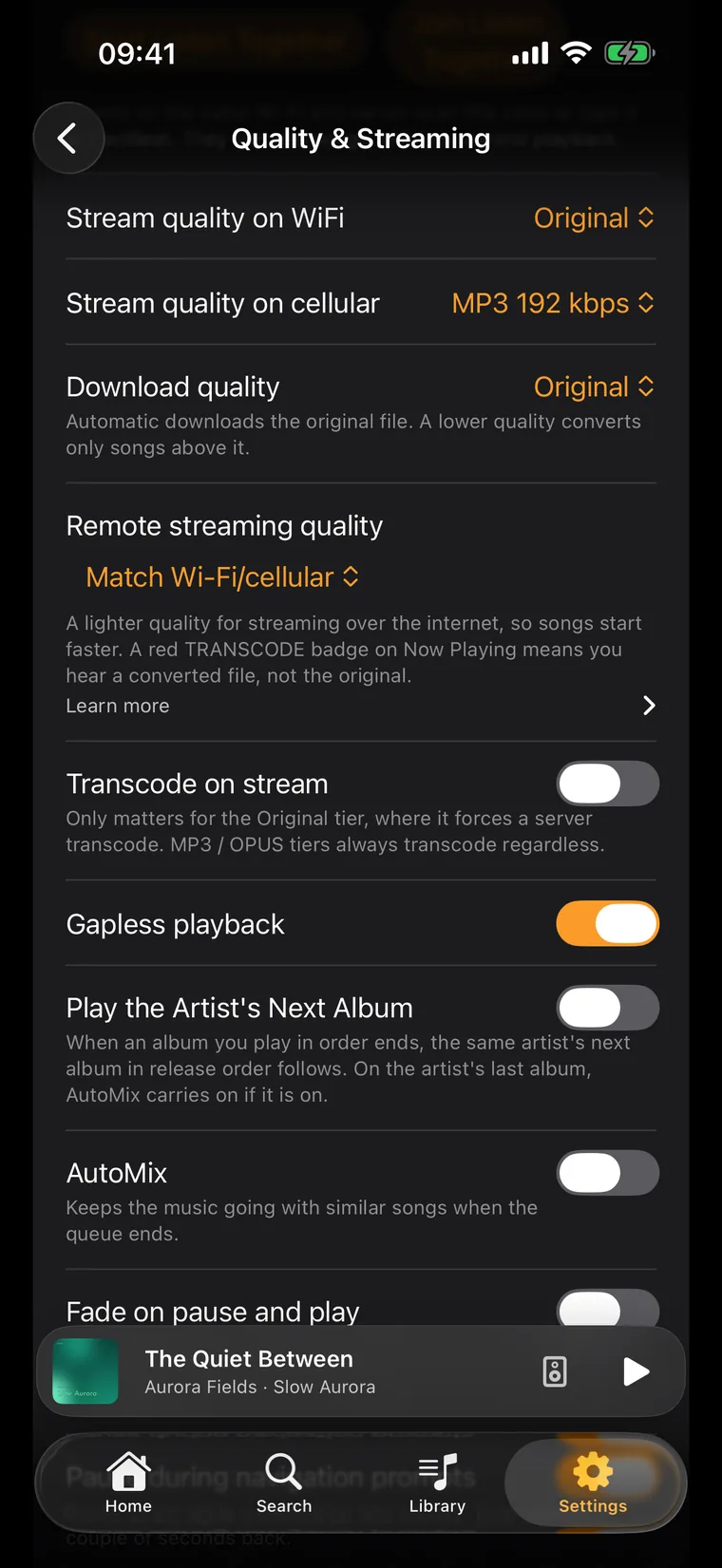
The highlighted row is Transcode on stream.
Screenshot from iPhone.
What it does
This only matters for the Original tier, where it forces a server conversion. MP3 and Opus tiers always convert anyway.
How to change it
- Open Settings.
- Tap Playback & Audio.
- Tap Quality & Streaming.
- Find Transcode on stream and change it.
Checked against the app on 21 November 2026.