Add Account on This Server
Signs in with another account on the same server.
WhereSettings›Server & Library›Add Account on This Server
iPhoneiPadMacApple TVNot on Apple Watch
Where it is
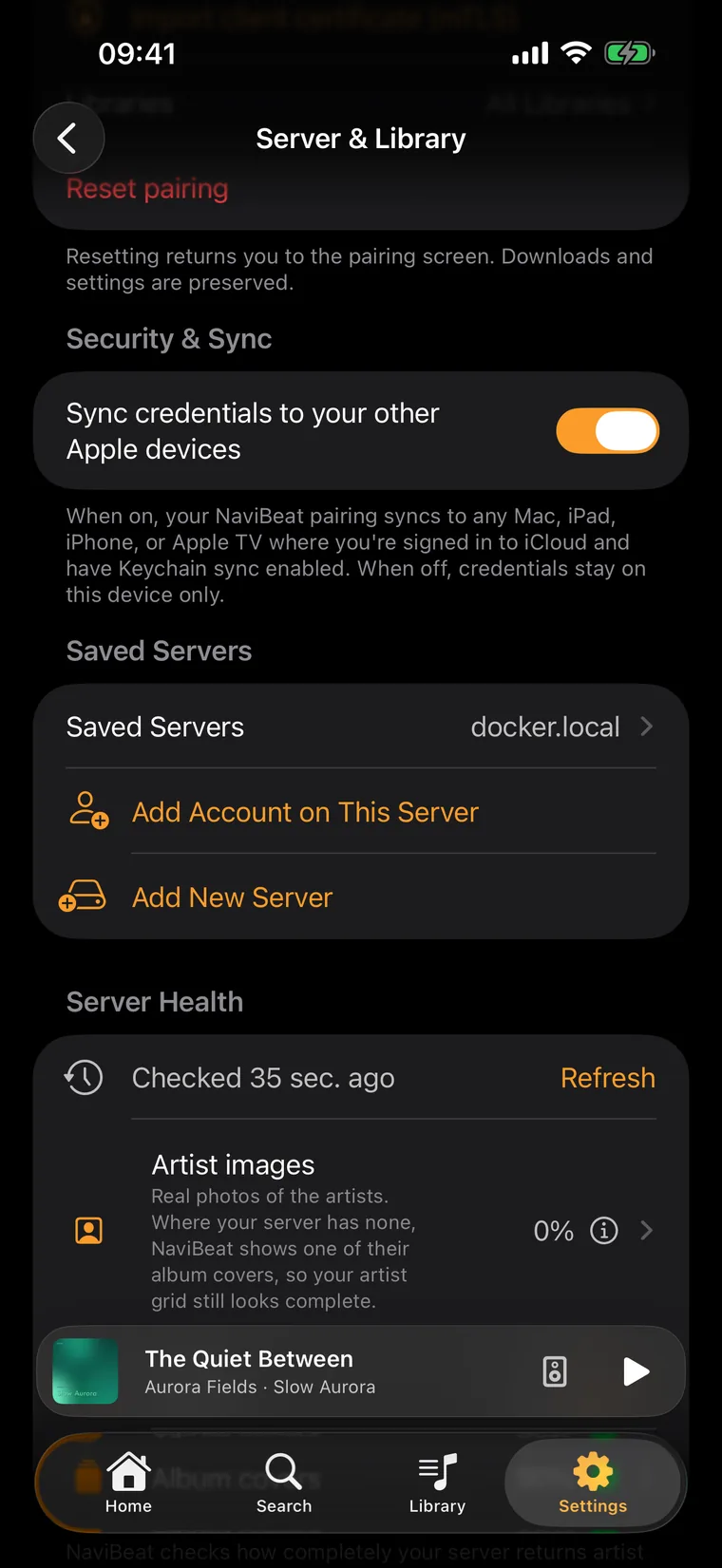
The highlighted row is Add Account on This Server.
Screenshot from iPhone.
What it does
NaviBeat keeps the server's address, proxy headers and client certificate, and asks only for a username and password. Use it when each family member has their own account.
How to change it
- Open Settings.
- Tap Server & Library.
- Find Add Account on This Server and change it.
Checked against the app on 20 November 2026.