Pause other devices on handoff
When you continue on another device, this one stops by itself.
WhereSettings›Playback & Audio›Quality & Streaming›Pause other devices on handoff
iPhoneiPadMacApple TVNot on Apple WatchDefault: On
Where it is
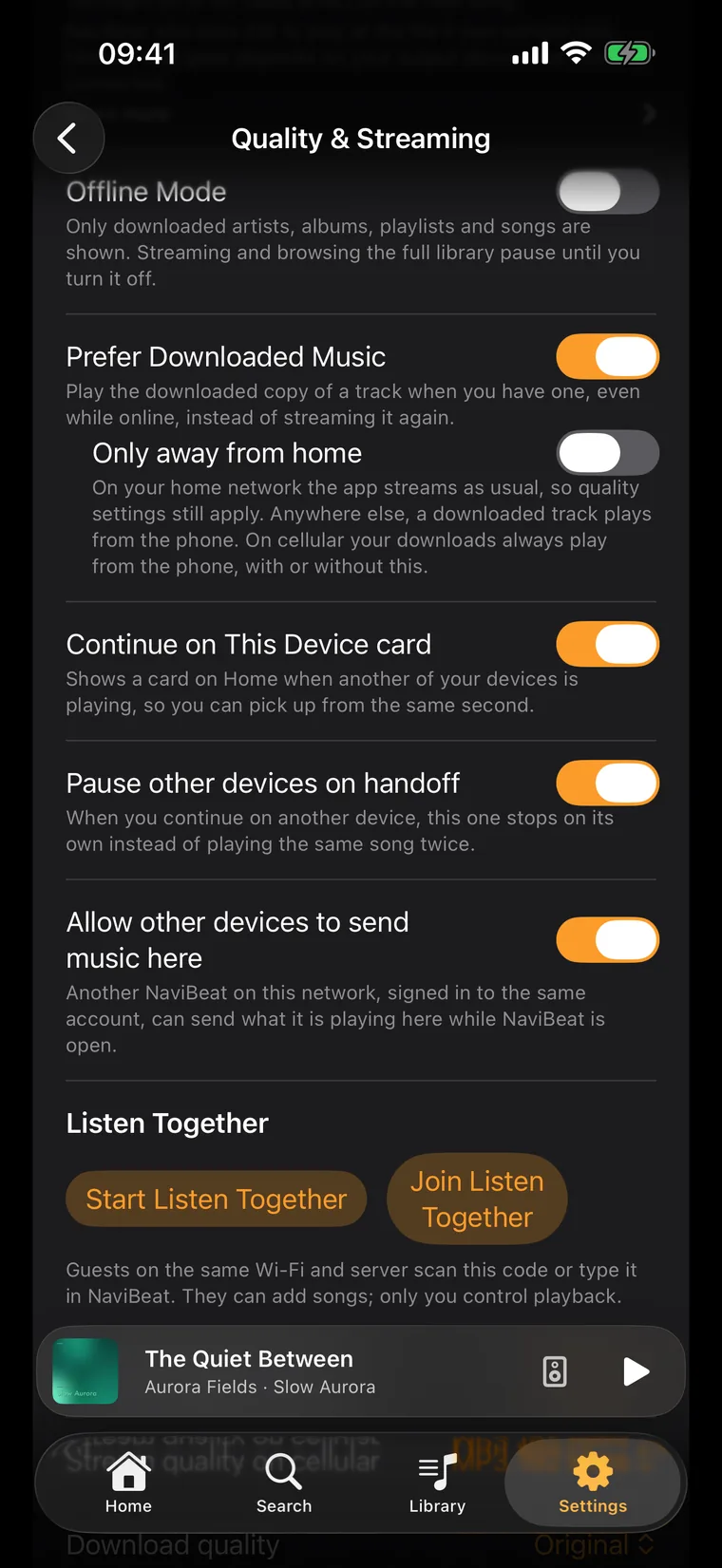
The highlighted row is Pause other devices on handoff.
Screenshot from iPhone.
What it does
You continue a song on your iPad, and the iPhone that was playing it stops on its own. Without this, both would play the same song.
How to change it
- Open Settings.
- Tap Playback & Audio.
- Tap Quality & Streaming.
- Find Pause other devices on handoff and change it.
Checked against the app on 21 November 2026.