Second line
Adds a second line under each lyric line: a pronunciation, a reading, furigana or a translation.
WhereSettings›Appearance & Language›Lyrics›Second line
iPhoneiPadMacApple TVNot on Apple Watch
Where it is
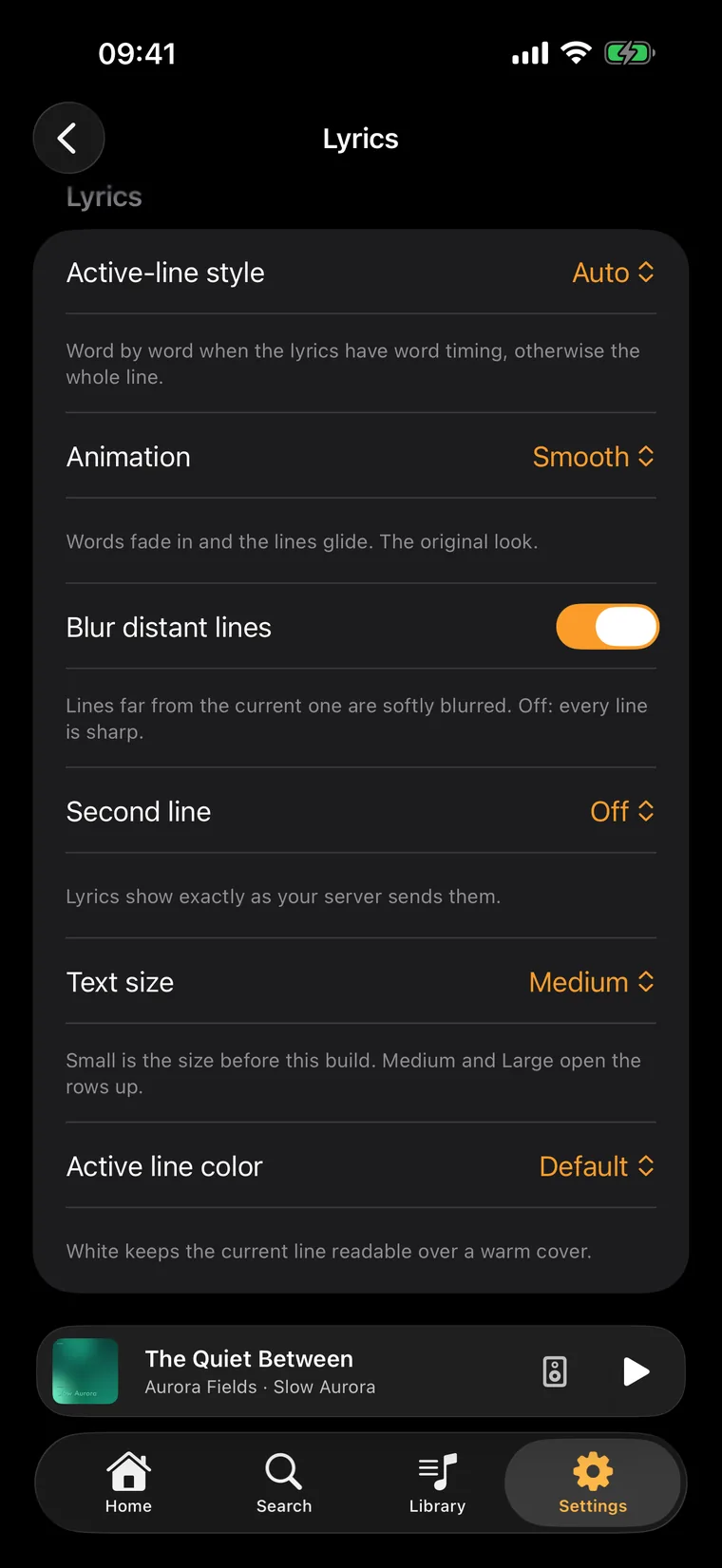
The highlighted row is Second line.
Screenshot from iPhone.
What it does
Useful for songs in a language or script you do not read.
How to change it
- Open Settings.
- Tap Appearance & Language.
- Tap Lyrics.
- Find Second line and change it.
Options
| Option | What it does | Default |
|---|---|---|
| Off | Lyrics show exactly as your server sends them. | Yes |
| Pronunciation (romanized) | Japanese, Korean, Chinese and other non-Latin lyrics get a Latin line underneath. | |
| Reading (kana) | Japanese lyrics get the hiragana reading of every kanji underneath. | |
| Furigana | Small hiragana above each kanji. | |
| Translation | Each line is translated into your language with Apple's on-device translation. |
Good to know
- Everything runs on your device. Nothing is sent anywhere.
Checked against the app on 21 November 2026.