Overlap tracks
Crossfade: the end of one song fades out while the next one fades in.
WhereSettings›Playback & Audio›Equalizer & Effects›Overlap tracks
iPhoneiPadMacApple TVNot on Apple Watch
Where it is
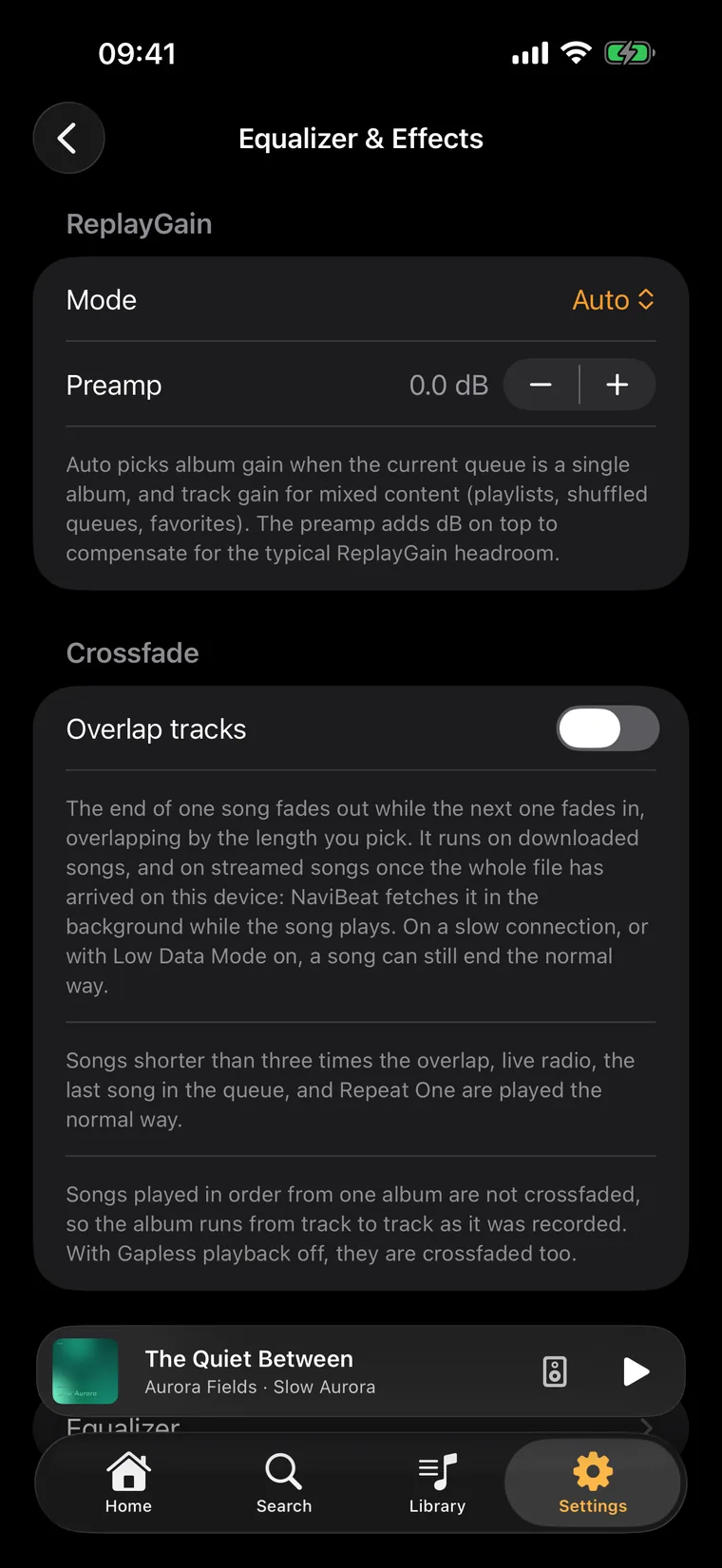
The highlighted row is Overlap tracks.
Screenshot from iPhone.
What it does
Turn on Overlap tracks and pick how long the two songs overlap, from 1 to 12 seconds.
It runs on downloaded songs, and on streamed songs once the whole file has arrived. NaviBeat fetches it in the background while the song plays. On a slow connection, or with Low Data Mode on, a song can still end the normal way.
How to change it
- Open Settings.
- Tap Playback & Audio.
- Tap Equalizer & Effects.
- Find Overlap tracks and change it.
Options
| Option | What it does | Default |
|---|---|---|
| Overlap tracks | Turns crossfade on. | Off |
| Duration | 1 to 12 seconds. | 5 seconds |
Good to know
- Songs played in order from one album are not crossfaded, so the album plays as it was recorded. With Gapless playback off, they are crossfaded too.
- Songs shorter than three times the overlap, live radio, the last song in the queue and Repeat One play the normal way.
- Crossfade works with the System (AVPlayer) engine. The AudioStreaming (beta) engine plays songs one after another.
Checked against the app on 20 November 2026.