Playback Speed
Plays music and audiobooks faster or slower, from 0.5x to 2x.
WhereSettings›Playback & Audio›Quality & Streaming›Playback Speed
iPhoneiPadMacNot on Apple TVNot on Apple WatchDefault: 1x
Where it is
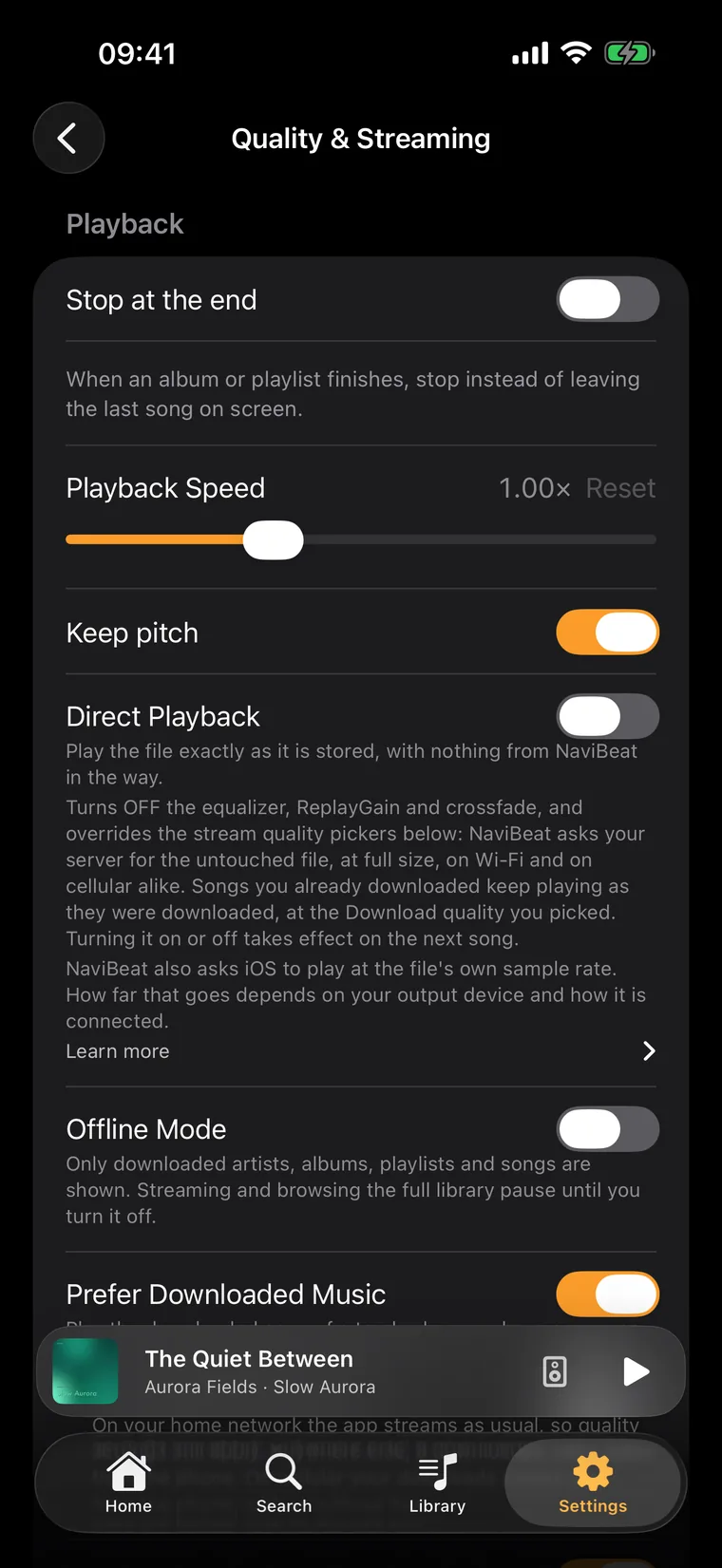
The highlighted row is Playback Speed.
Screenshot from iPhone.
What it does
Drag the slider to change the speed. Reset brings it back to normal. Turn on Keep pitch so voices do not sound higher or lower.
How to change it
- Open Settings.
- Tap Playback & Audio.
- Tap Quality & Streaming.
- Find Playback Speed and change it.
Checked against the app on 20 November 2026.