One purchase. Every device. Forever.
Buy NaviBeat once on any Apple device. It installs on the other four at no extra cost. $5.99, one time, no subscription, no per-platform fee, no “Pro” tier behind a paywall.
Pay once.
NaviBeat v1.3.0 · Live on the App Store
NaviBeat is a native Navidrome and OpenSubsonic player for Apple TV, Mac, iPhone, iPad, and Apple Watch. Now live on the App Store across all five platforms at $5.99, one purchase covers every device, forever.
One purchase. Every screen. Forever.
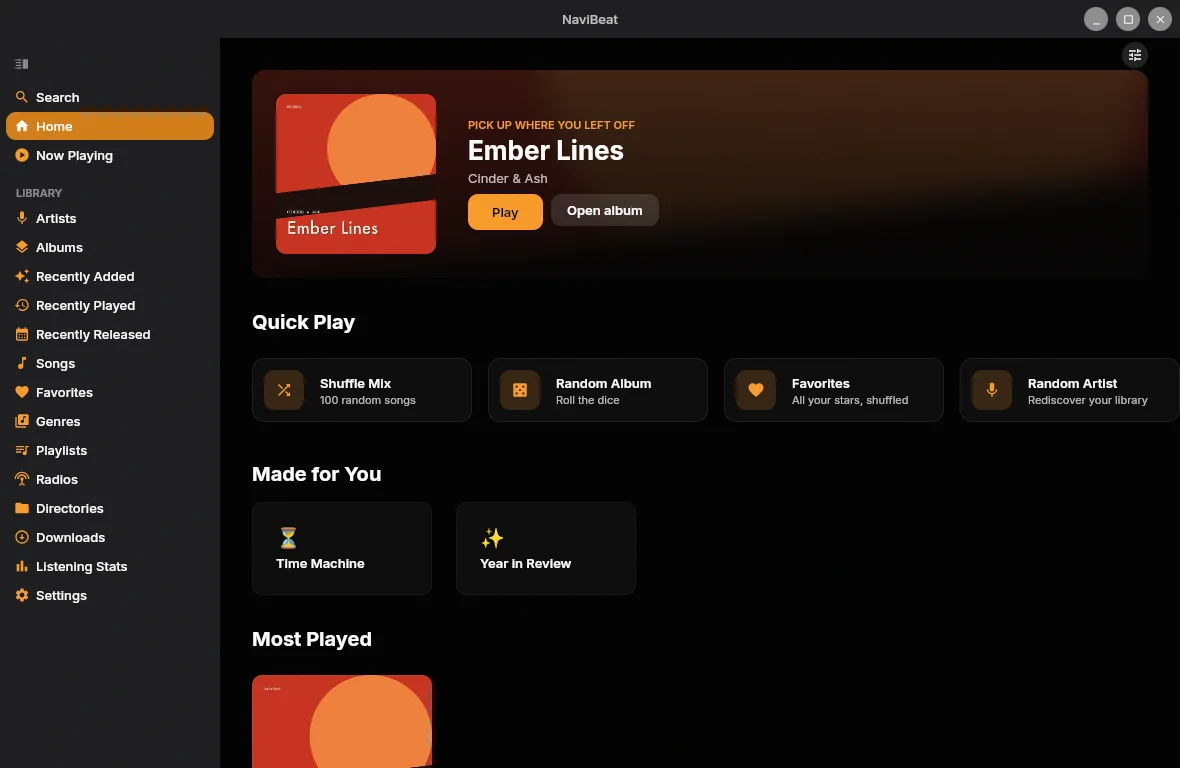
Featured Album hero, Quick Play shelves, full Siri Remote support, tuned for focus, not the cursor.
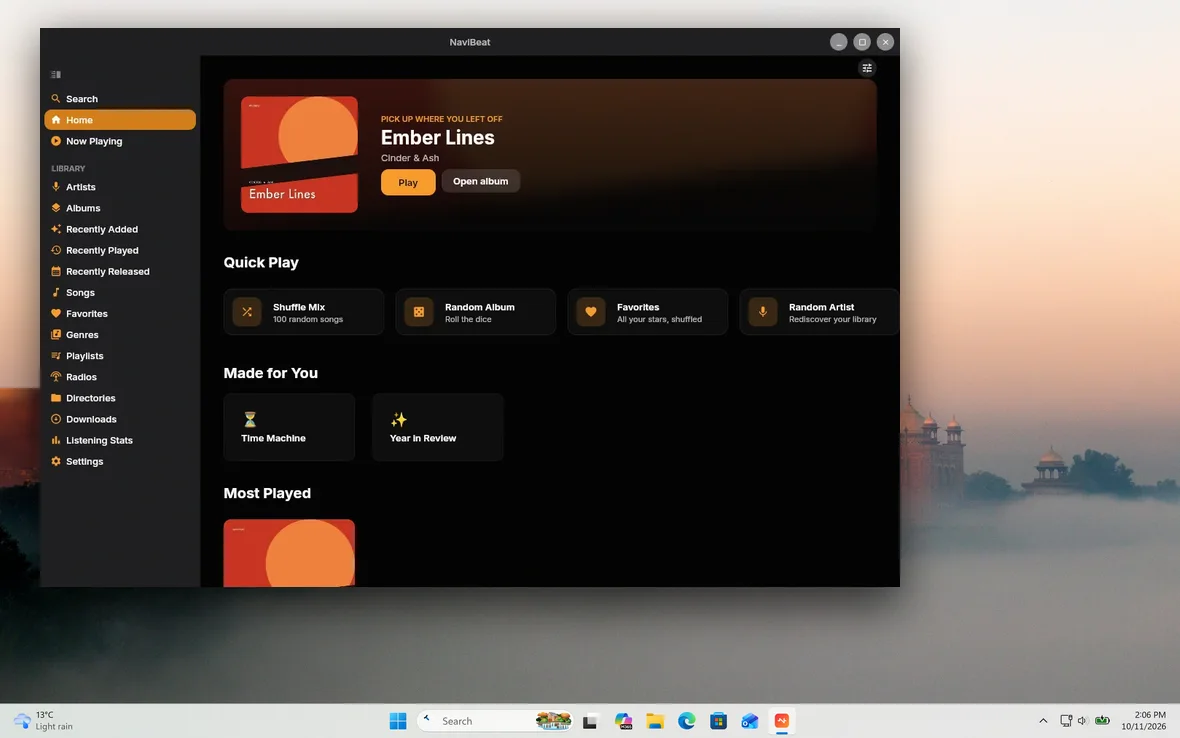
Pin-on-top, time-synced lyrics, Up Next queue, sleep timer, directories. Not Electron, not Catalyst.
Word-perfect time-sync. Smooth scroll. Tap any line to seek. Reads .lrc straight from your Navidrome.
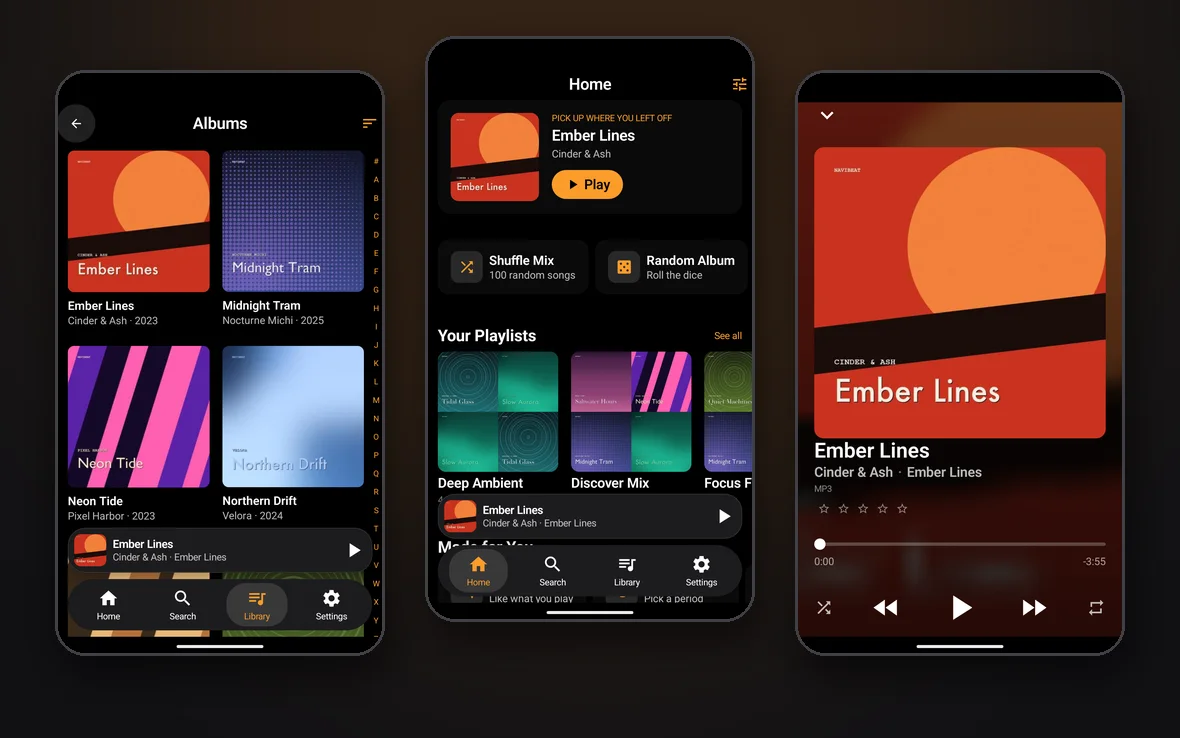
Full-screen Now Playing on iPhone. Offline pinned playback on Watch. Run trails without the phone.
Buy NaviBeat once on any Apple device. It installs on the other four for free. No subscription, no per-platform fee.
Bring your own server
NaviBeat speaks the OpenSubsonic API. Any server that does the same will pair: drop in your URL and credentials, that is the whole setup.
Self-hosted, on a Raspberry Pi, NAS, VPS, or anywhere else. Your library never leaves the box you put it on. New to self-hosting? Start with Navidrome.
One purchase, five devices
The short answer
It is not only the broadest. It is built to be the best on each screen individually, for reasons you can check:
Best for iPhone
Offline that browses, not just plays. CarPlay voice search in 11 languages. Streaming quality set separately for Wi-Fi and cellular. 10-band EQ, ReplayGain, gapless. See why →
Best for Mac
A real native Mac app, not an iPhone binary on Apple Silicon. Mini Player pins on top. Syncs to a Rockbox iPod. See why →
Best for Apple TV
One of only a handful of Subsonic clients with a native tvOS app, and the only one we can find that is also on every other Apple device you own. See why →
Best for Apple Watch
Music stored on the watch, downloaded straight from your server. Leave the phone at home and still run with your library. See why →
Best for iPad
A real iPadOS layout with a sidebar and a grid built for the display, not a phone app letterboxed on a bigger screen. See why →
Weighing it against the other Navidrome clients? We keep a comparison against Sonora, flo, Amperfy and Shelv, with sources and dates, and we say plainly who each one is for.
Compare the clientsWhat you get
Buy NaviBeat once on any Apple device. It installs on the other four at no extra cost. $5.99, one time, no subscription, no per-platform fee, no “Pro” tier behind a paywall.
Pay once.
Zero analytics. Zero tracking. Zero hidden services. NaviBeat doesn’t talk to anyone you didn’t sign in to. Optional Last.fm or ListenBrainz integration is opt-in and you’re in control.
Your server, your rules.
Not an Electron shell. Not a web wrapper. Each app is tuned for its screen: focus on tvOS, mouse on macOS, touch on iOS, crown on watchOS, plus Home Screen, Lock Screen, and Mac Desktop widgets wherever Apple allows them.
Tuned per screen.
Pin albums, playlists, or whole artists with their artwork and details, so you can browse and play fully offline. LRU cache with a size you set. Flights, subways, trails, spotty hotel Wi-Fi, the music keeps going.
Built for the road.
Custom HTTP headers for Cloudflare Access and Authelia, plus mTLS client certificates and Tailscale, all work out of the box. Your server stays private and reachable from anywhere, with no third-party relay, ever.
Your tunnel, covered.
Fresh from the workshop
NaviBeat 1.3.0 is live on the App Store. Development is fast and continuous: the beta gets new builds near-daily, and this is what just landed.
The headline of 1.3.0, and nothing else in the Navidrome world does it. NaviSyncRock syncs songs, albums, artists and playlists from your server to a Rockbox iPod, from a normal Mac app: your own server transcodes, album art is re-encoded so old hardware renders it, .m3u8 playlists are written correctly, plays on the device sync back to Navidrome, and two custom NaviBeat iPod themes are installed. No terminal, no Python scripts.
A one-time $4.99 unlock in NaviBeat for Mac, separate from the base app. See how it works.
Live now, in 1.3.0.
The open, self-hostable listening service from MetaBrainz, the same nonprofit behind MusicBrainz. A Your ListenBrainz shelf on Home with real album art, Your Mixes (Weekly and Daily Jams), star-first two-way loved-track sync, MusicBrainz-ID matching, and a Preferred Source picker where it shares a surface with Last.fm.
Like Last.fm, it is opt-in, and scrobbles route through your own server, never straight from the app. See the integration.
Open, like your server.
Every screen is translated, and an in-app language picker lets you force any of them, even on Apple TV, where the system offers no per-app language setting at all.
Don’t see yours? Tell me which one, and I’ll add it.
Deset jezika. Zehn Sprachen. Dix langues.
A 24-hour listening clock, a weekday heatmap, and your top artists, albums, and songs, with a week, month, and year switcher. Built from your Last.fm scrobble history once you connect your account in Settings, rendered beautifully on iPhone, iPad, and Mac. Prefer ListenBrainz? Connect it instead for your own Your ListenBrainz Home shelf: listen count, top artists, and top tracks.
Know your own taste.
Shape the sound with a full ten-band equalizer and presets, riding on NaviBeat’s selectable high-fidelity audio engine. Pick the engine in Settings, dial in your curve, and it follows your playback.
Your ears, your curve.
Sync songs, albums, artists, and playlists from your server to your RockBox player: your server transcodes, the album art actually renders even on old hardware, playlists are written for you, and plays sync back to your server as scrobbles. Two custom NaviBeat themes ride along, and NaviSyncRock now recognizes over 100 RockBox player models by brand, not just one. A Mac add-on.
Built on Rockbox, a wonderful volunteer-run open-source project that has kept old media players playing for decades. We’re fans building on top of their work, not affiliated with the Rockbox project, and glad it exists.
Real hardware, meet self-hosting.
Classical albums group by work, with every movement listed underneath in the right order. A suite stays one work with four movements, not four unrelated tracks. It does not need MOVEMENT tags, which almost no real library carries: a tag census of eight MusicBrainz-tagged recordings found zero of them, and every WORK tag that existed named the movement rather than the piece, which would split one symphony into four. NaviBeat recovers the parent work from titles and tags shaped like Symphony no. 5 in C minor, op. 67: I. Allegro con brio, so it works on the library you already have. Ships on iPhone, iPad, and Mac.
One work, every movement.
Watch live speed and queue stats while albums download, then check a history of every transfer, finished or failed. One tap retries anything that did not make it. Sends to your Apple Watch show up in the very same list, tracked like any other download.
Nothing gets lost in the queue.
A new setting keeps downloaded tracks playing from disk, even when you are back on Wi-Fi or cellular. Turn it off and those same tracks stream fresh instead. Your whole library stays browsable in Offline Mode, with anything you have not downloaded dimmed rather than hidden.
Your call, every time.
The Albums grid packs more cover art on screen at once on iPhone and iPad, so browsing by artwork takes fewer swipes to get where you are going.
Browse by artwork, faster.
The Watch app now uses compact, glanceable rows instead of tall tiles, and downloads pull directly from your server with no phone required. Send an album from your iPhone and it lands on your wrist by itself, tracked as a first-class transfer with the same retry history as any other download.
Small screen, full app.
Voice search on CarPlay understands “play <your artist>” in any of the app’s languages, resolves it against your own library, and shows exactly what it heard when nothing matches. Eyes on the road, hands on the wheel.
Say it, hear it.
Tester reports regularly turn into fixes the same day. Want the newest features months before the App Store release? Join the beta, every platform is covered by one TestFlight link.
Report it today, test the fix tomorrow.
No cloud. No account. No telemetry.
NaviBeat is a client. Your music lives where it already does: a Raspberry Pi, a Synology, a home server under someone’s desk. We never see your library, your credentials, or a single play event. We couldn’t if we wanted to: the app has no backend. The only services NaviBeat ever talks to are the ones you sign in to: your Navidrome server, and optionally Last.fm or ListenBrainz. Read the privacy policy.
About the maker
NaviBeat is built and maintained by Nenad Jokic, one person in Belgrade. No team behind a wall, no investors to please, no analytics dashboard somewhere telling me what you listened to last night. The roadmap is shaped in the open by what self-hosters actually ask for: AirPlay routing, Cloudflare Access headers, sleep timer, time-synced lyrics, the things that came in through TestFlight and email.
NaviBeat is in serious, very active development. New TestFlight builds go out almost every day, with fixes and new features landing constantly, and beta testers get every improvement first. The roadmap moves fast because it is just me and the people who use it. If something is broken, you can write directly to me. I usually reply within a day.
Launch price
One purchase. Every device.
One purchase. Every device. Forever.
Beta program
If you are willing to share what you find, we would love to have you on the TestFlight group. iPhone, iPad, Mac, Apple TV, Apple Watch.
FAQ
From the App Store