Offline Mode while in CarPlay
Switches to downloaded music only while the car is connected.
WhereSettings›Devices›Offline Mode while in CarPlay
iPhoneiPadNot on MacNot on Apple TVNot on Apple WatchDefault: Off
Where it is
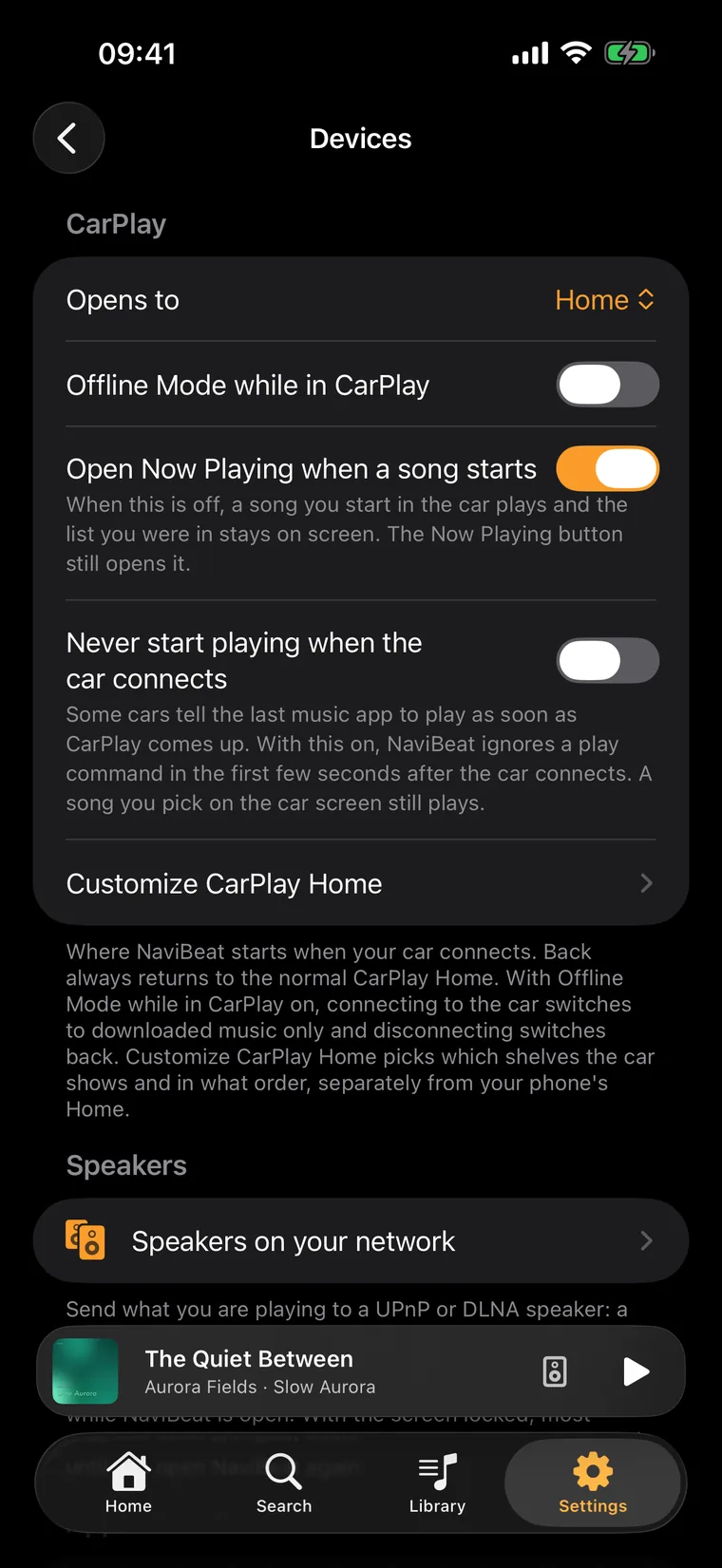
The highlighted row is Offline Mode while in CarPlay.
Screenshot from iPhone.
What it does
Connecting to the car turns on Offline Mode, and disconnecting turns it off again. Useful if your car drives through areas with no signal.
How to change it
- Open Settings.
- Tap Devices.
- Find Offline Mode while in CarPlay and change it.
Checked against the app on 21 November 2026.