Sync credentials to your other Apple devices
Shares your server login with your other Apple devices through iCloud Keychain.
WhereSettings›Server & Library›Sync credentials to your other Apple devices
iPhoneiPadMacNot on Apple TVNot on Apple WatchDefault: On
Where it is
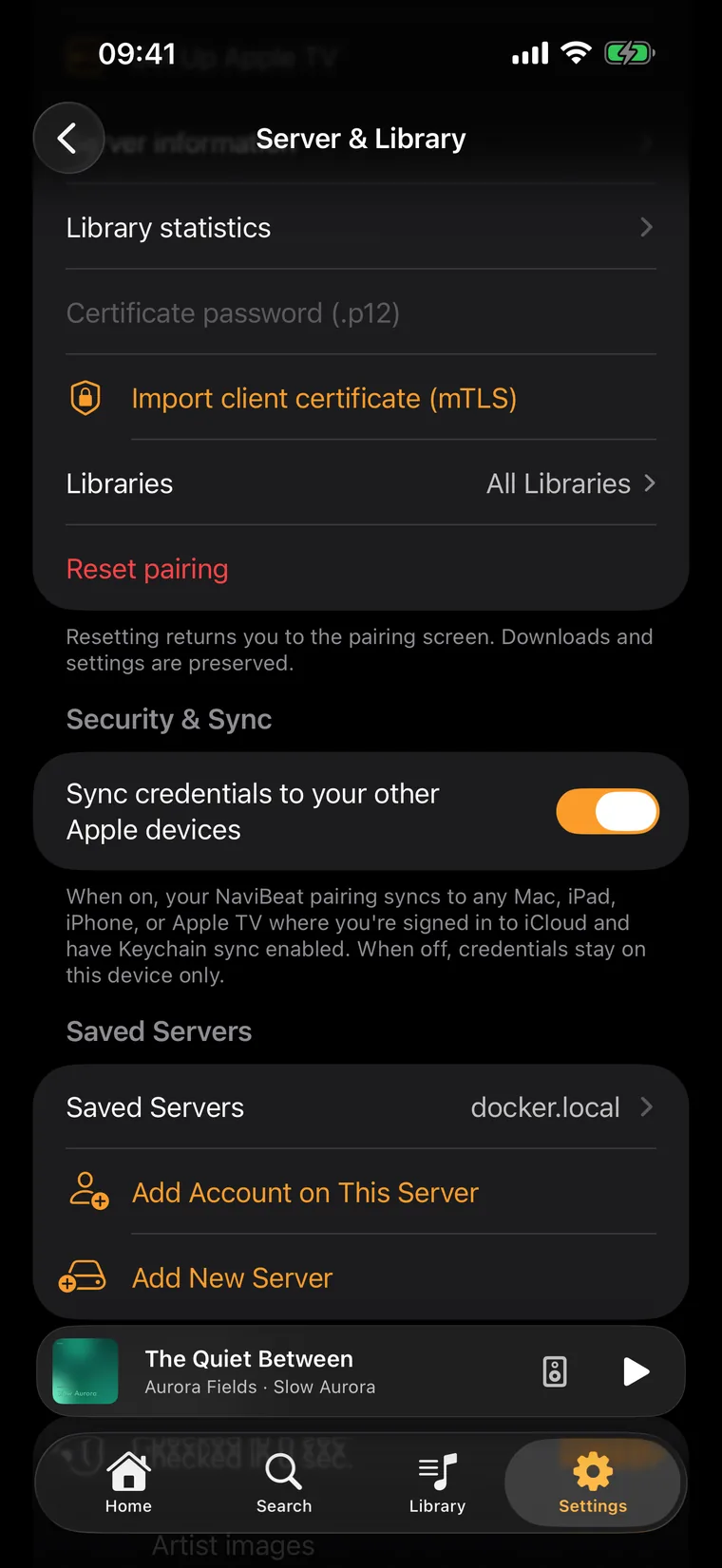
The highlighted row is Sync credentials to your other Apple devices.
Screenshot from iPhone.
What it does
Sign in once, and your other devices with the same Apple Account can use the same login.
How to change it
- Open Settings.
- Tap Server & Library.
- Find Sync credentials to your other Apple devices and change it.
Checked against the app on 21 November 2026.