Blur distant lines
Softly blurs lyric lines far from the one being sung.
WhereSettings›Appearance & Language›Lyrics›Blur distant lines
iPhoneiPadMacApple TVNot on Apple WatchDefault: On
Where it is
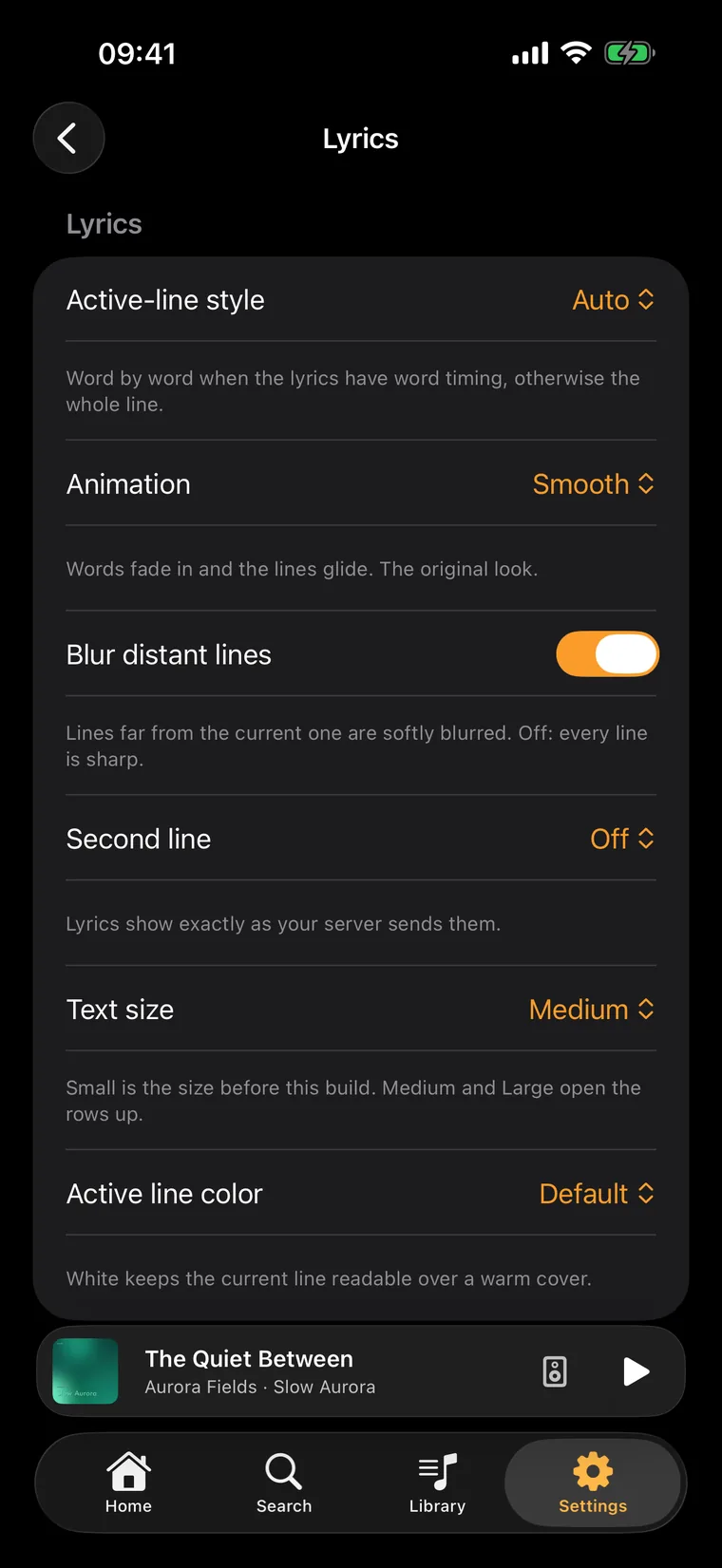
The highlighted row is Blur distant lines.
Screenshot from iPhone.
What it does
Your eye stays on the current line. Off, every line is sharp.
How to change it
- Open Settings.
- Tap Appearance & Language.
- Tap Lyrics.
- Find Blur distant lines and change it.
Checked against the app on 21 November 2026.