Fade on pause and play
Pause lowers the sound smoothly before it stops, and Play brings it back up.
WhereSettings›Playback & Audio›Quality & Streaming›Fade on pause and play
iPhoneiPadMacApple TVNot on Apple WatchDefault: Off
Where it is
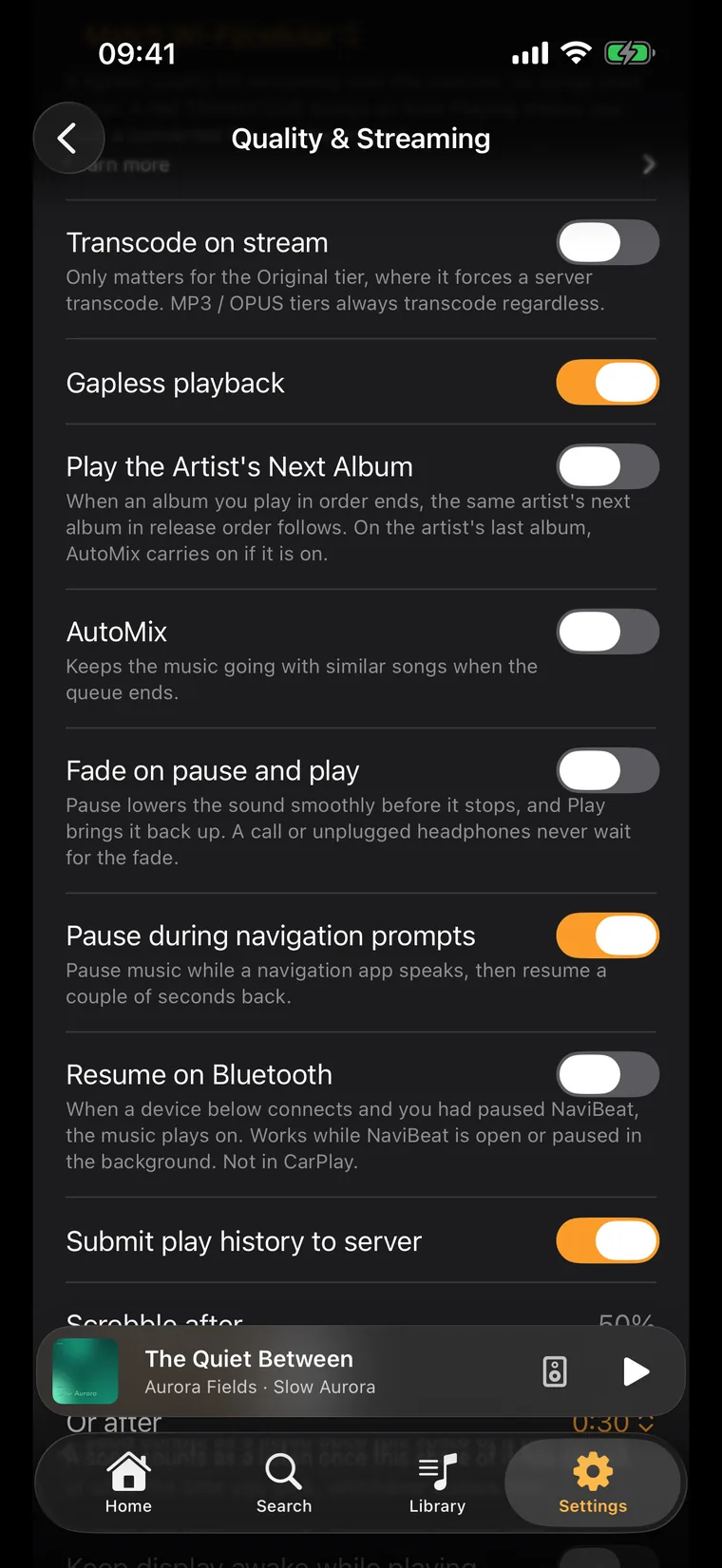
The highlighted row is Fade on pause and play.
Screenshot from iPhone.
What it does
Instead of a hard stop, the volume fades out when you pause and fades in when you press Play. A phone call or unplugged headphones never wait for the fade.
How to change it
- Open Settings.
- Tap Playback & Audio.
- Tap Quality & Streaming.
- Find Fade on pause and play and change it.
Checked against the app on 21 November 2026.